
Porsche Logistics Application
Through several iterative user tests with Figma prototypes, I successfully led a restructuring of the interface, significantly improving its usability for end users.
- Expert users: The logistics software is only used by a very specific group of users with a lot of responsibility and high expertise. They demanded an interface packed with necessary information and did not care so much about any fancy designs.
- Complex information: The contents of the logistics software covered a complex car-assembling context with a lot of co-dependencies and tables full of information that all had to be accessible in the interface
- Figma library and prototype: I used Porsche’s existing Figma component library and adapted several components to meet user needs. Additionally, I added interactive features to these components to create low- and high-fidelity prototypes for user testing.
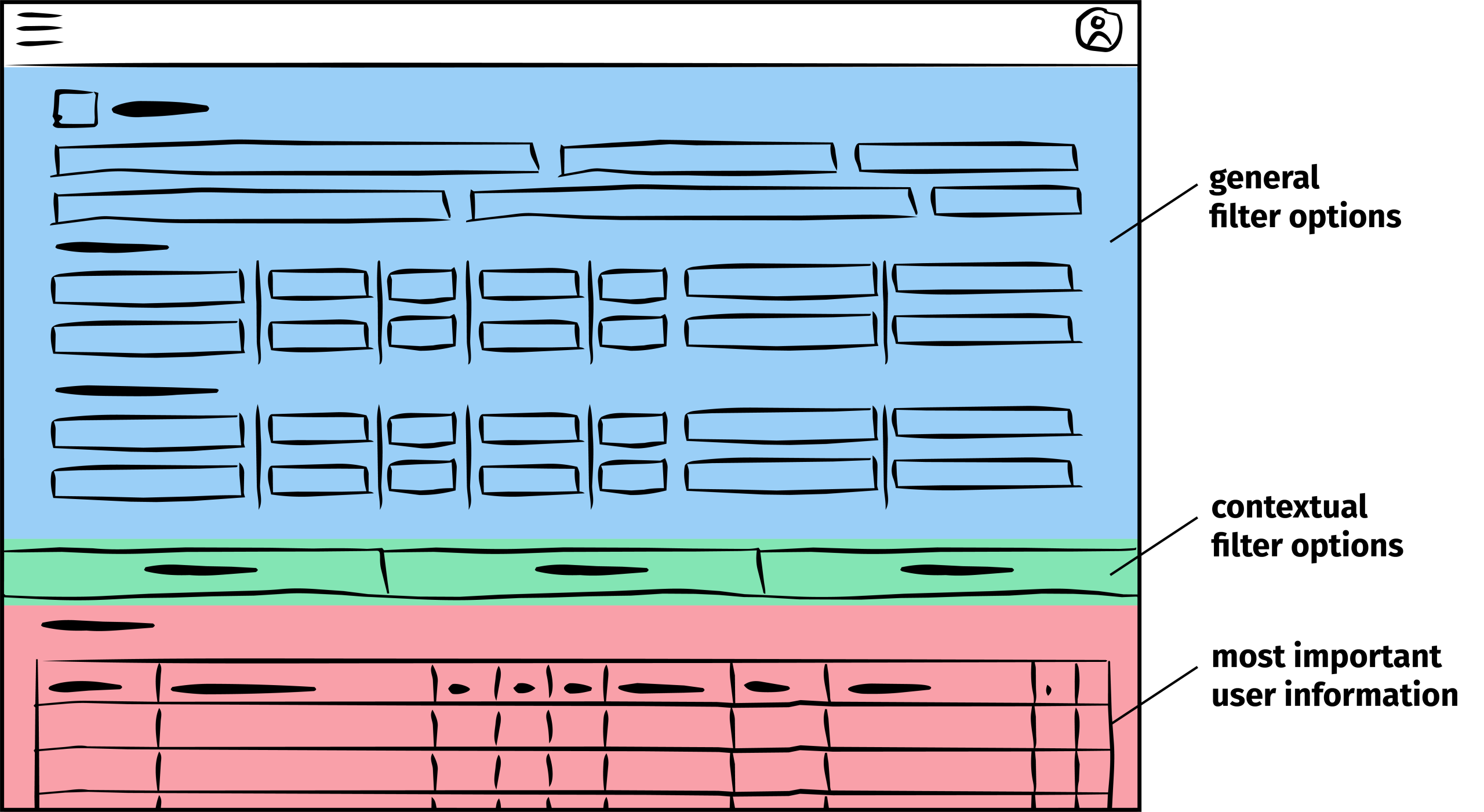
Initial situation
Based on my initial analysis, which included exploratory conversations with several expert users, I identified the highly complex data table as the core component of the application and the users’ primary source of information. These discussions revealed that users need to continuously monitor the table throughout their workflow, making it essential for the table to remain visible and easily accessible at all times
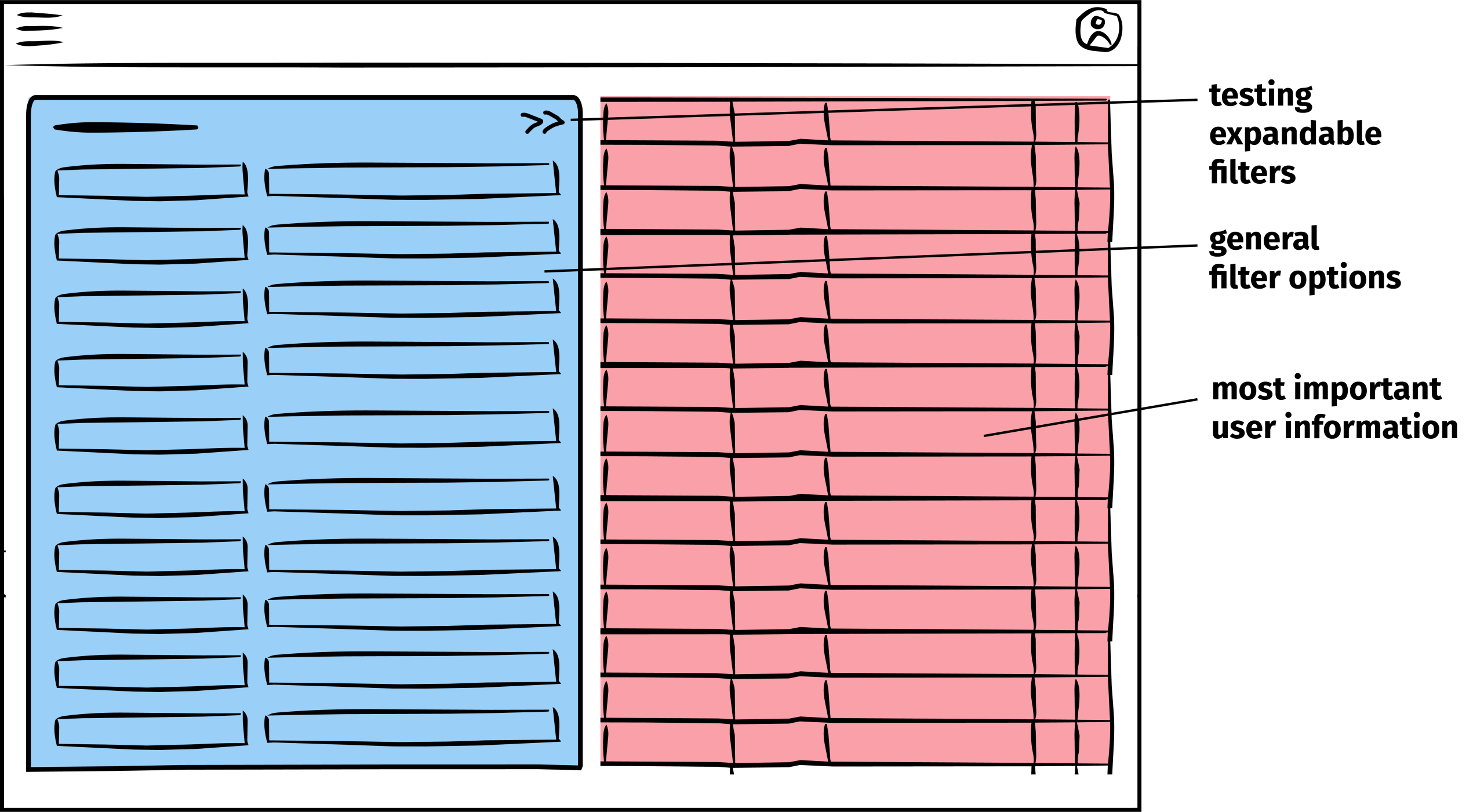
Iteration
I used a high-fidelity Figma prototype to test interface structures through focused, task-based usability sessions. This allowed me to evaluate interaction patterns in detail and iteratively refine them based on user feedback.
Since expert users often had limited availability, testing individual workflows proved more practical than conducting full end-to-end evaluations while still providing actionable insights.
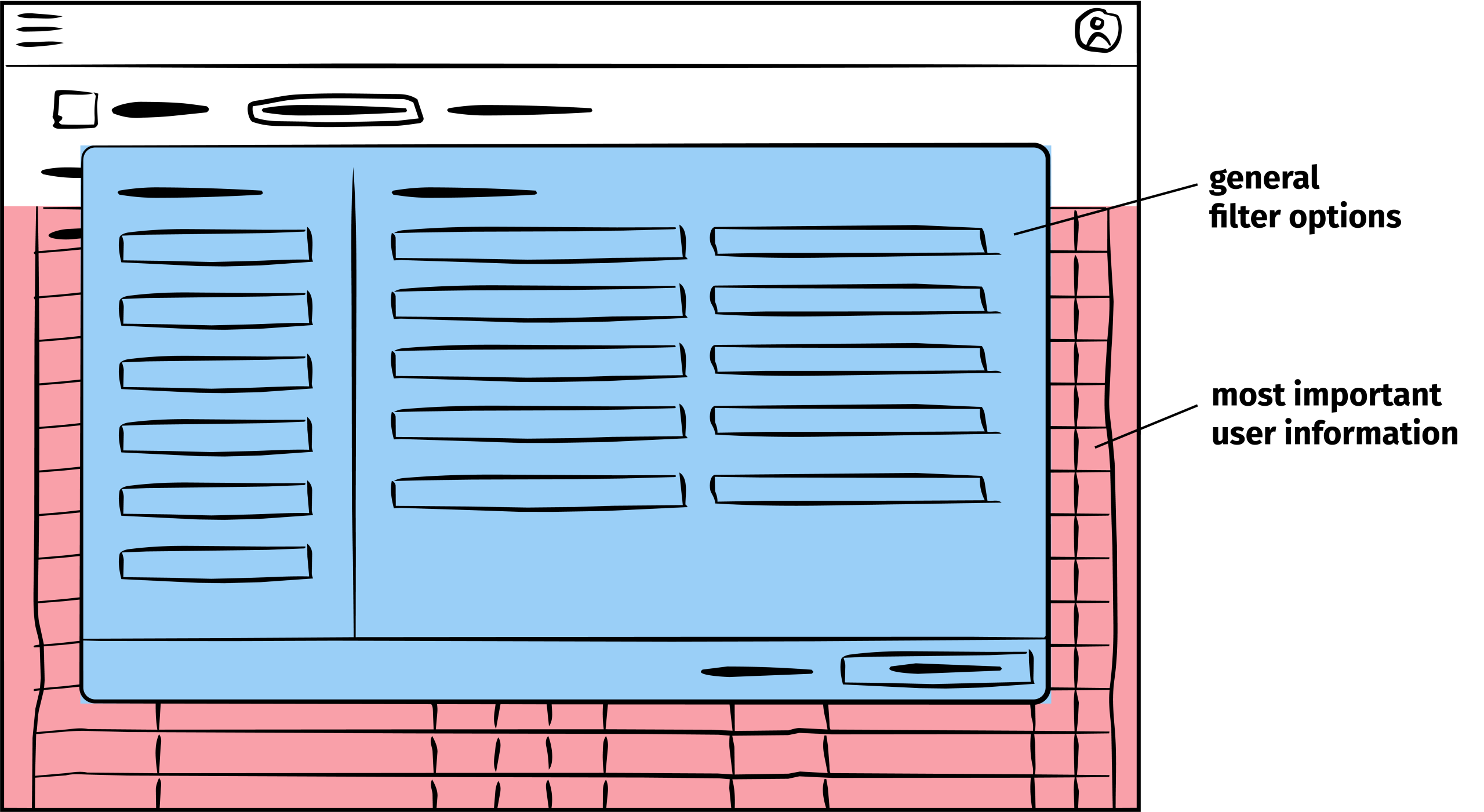
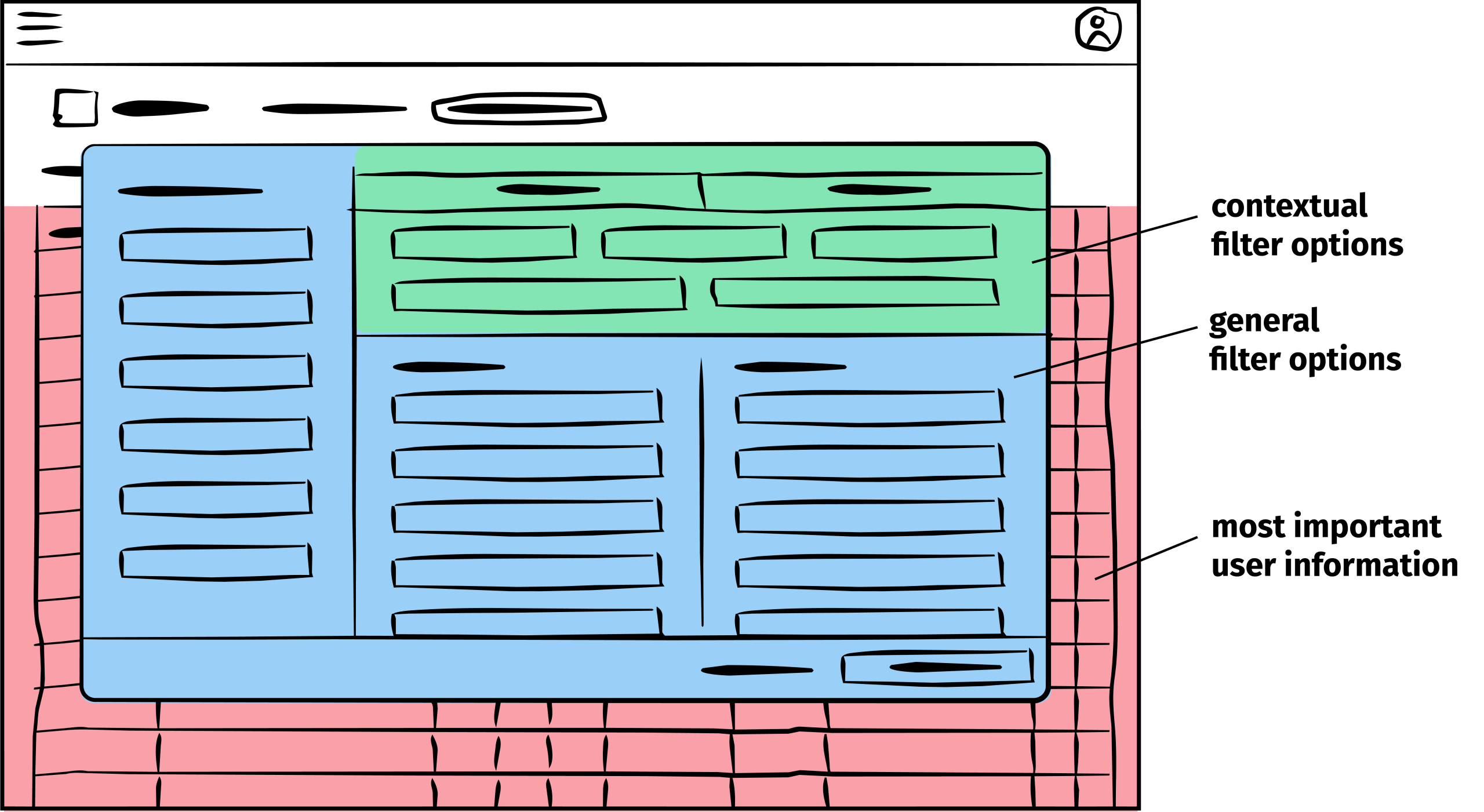
Result
To maximize space for the data table, I moved input and configuration controls into contextual overlays that appear only when needed. This kept the users’ primary workspace visible while maintaining quick access to secondary functions.
Based on user interviews, I also reorganized and grouped input fields according to users’ workflows and mental models, improving usability and reducing cognitive load. These changes not only streamlined interaction but also increased overall user acceptance of the interface.